Track the movement of vehicles in real time on the map view!
Works on mobile devices and computers
Route-Tracker The program does not install. It works with Chrome, Edge and Safari browsers on computers, tablets and phones.
Comprehensive reporting
Driving logs, travel invoices and working time reports by vehicle, driver and region.
Real-time monitoring
Track the locations of all vehicles on the map in real time.
Map views
Google road maps, satellite maps and OpenStreetMap – exact addresses with house numbers.
User groups
Separate logins for users. The user can see location information and reports for an individual car, a group of vehicles or the entire fleet.
Automatically report machine work done in areas!
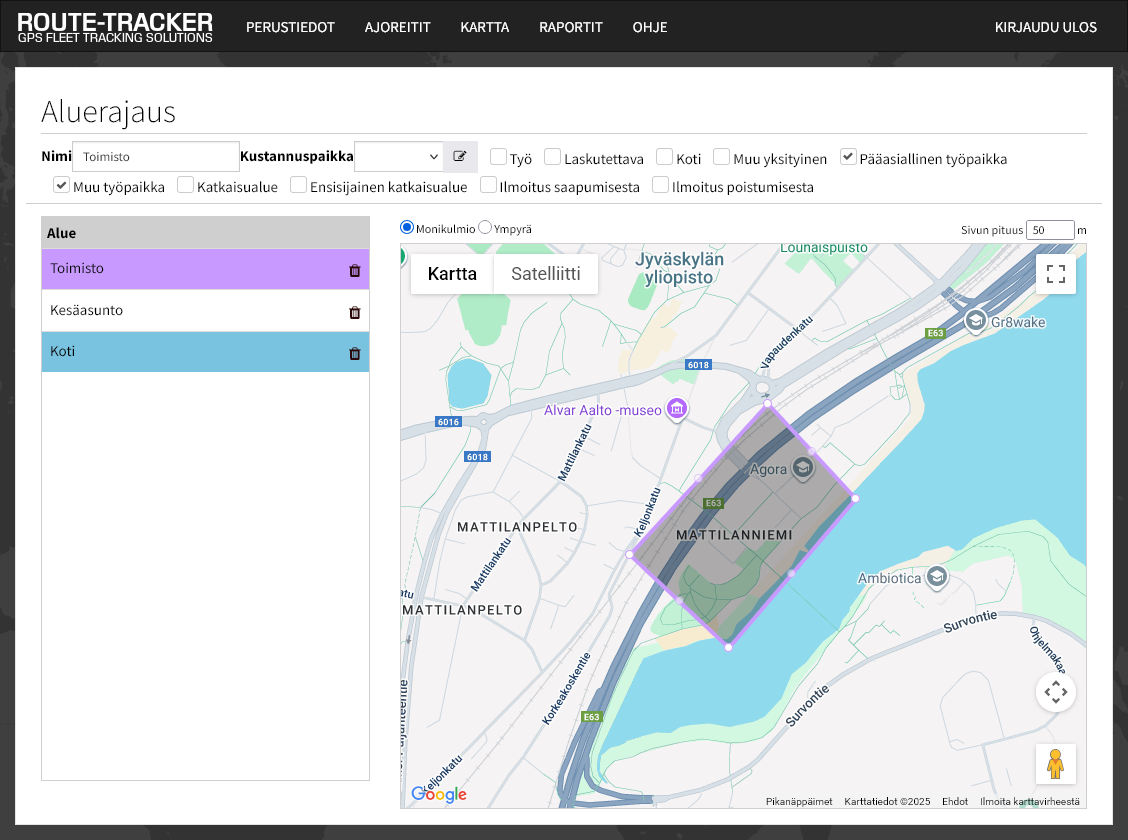
Territorial demarcation
Draw the areas on the map. The program will break down the machine work done in the area by area and cost center. If you also use work locations, you will get the area work broken down by type of work.
- Entry and exit to the area are automatically recognized
- Work type buttons (e.g. plowing, sanding, snow removal)
- Unlimited number of work types with the mobile app
Ensure maintenance schedules, send alarm messages, track accessories and power outages
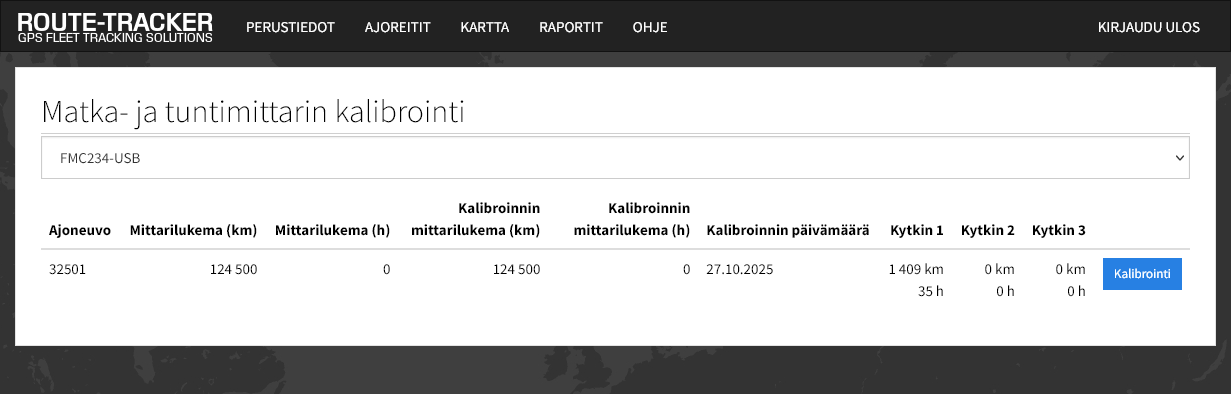
Calibrating the trip and hour meter
When the odometer and/or hour meter readings of a car or work machine have been calibrated, i.e. saved in the program, the odometer reading can be obtained in the driving logbook report and the inspection schedule for the car or work machine and maintenance time tracking based on the odometer readings can be saved.
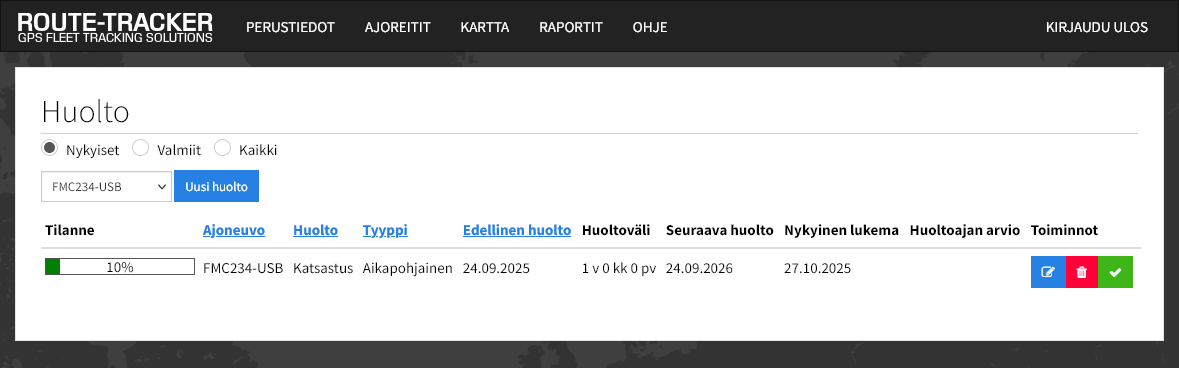
Maintenance schedule
You can save inspection schedules for cars and machinery, as well as maintenance times based on mileage or hour meters.
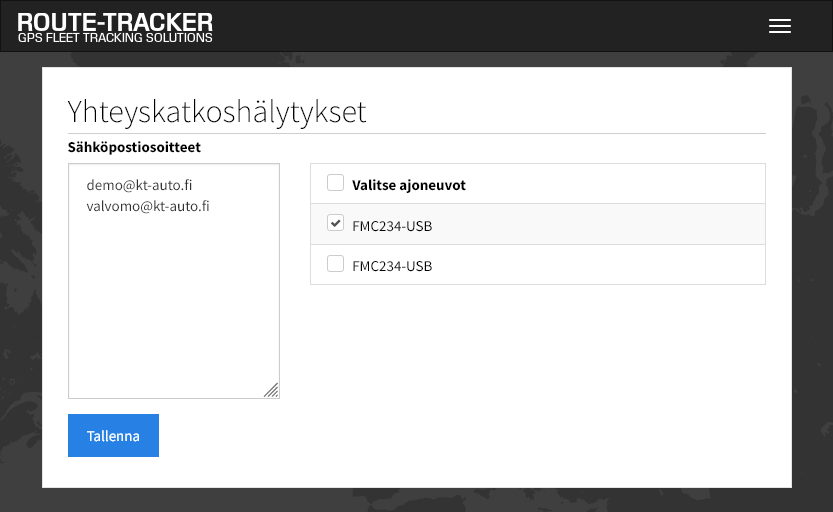
Notifications about connection interruptions
Define email addresses to receive notifications of location outages. The cause of the outage may be a malfunction of the locator, a weak GPS signal, or a mobile network connection outage.
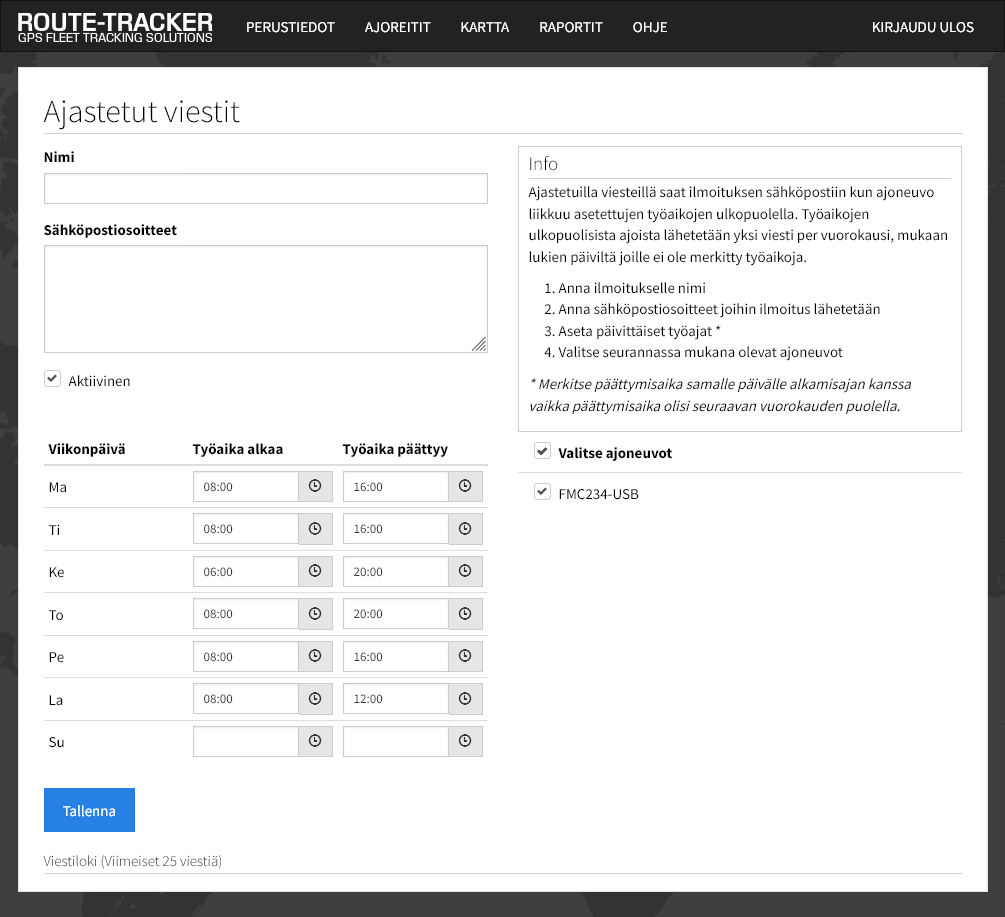
Scheduled messages
Define email addresses and daily working hours and the program will send notifications by email if vehicles are moving outside working hours.
Accessory tracking
You can manually receive time reports for attachments using the wireless work type button. The driver selects the job using the work type button, e.g. Ploughing / Sanding.
Accessory tracking can be implemented automatically by connecting the locator's input cable to the accessory's power cable.

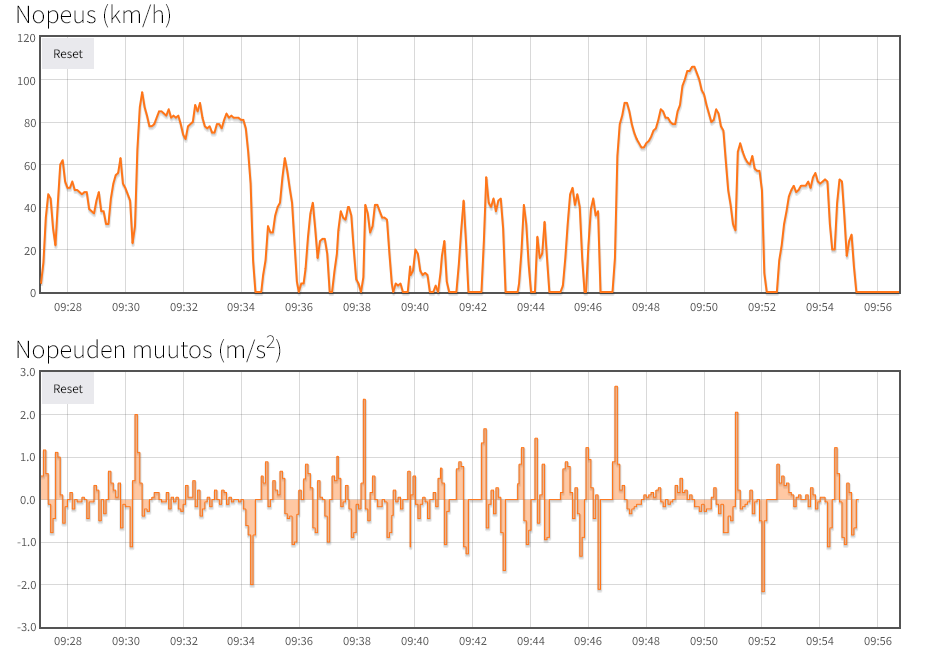
Monitoring economic driving - driving profiles
You can check daily car speeds while driving (km/h) and speed changes (acceleration and braking).
Monitoring of powerless objects
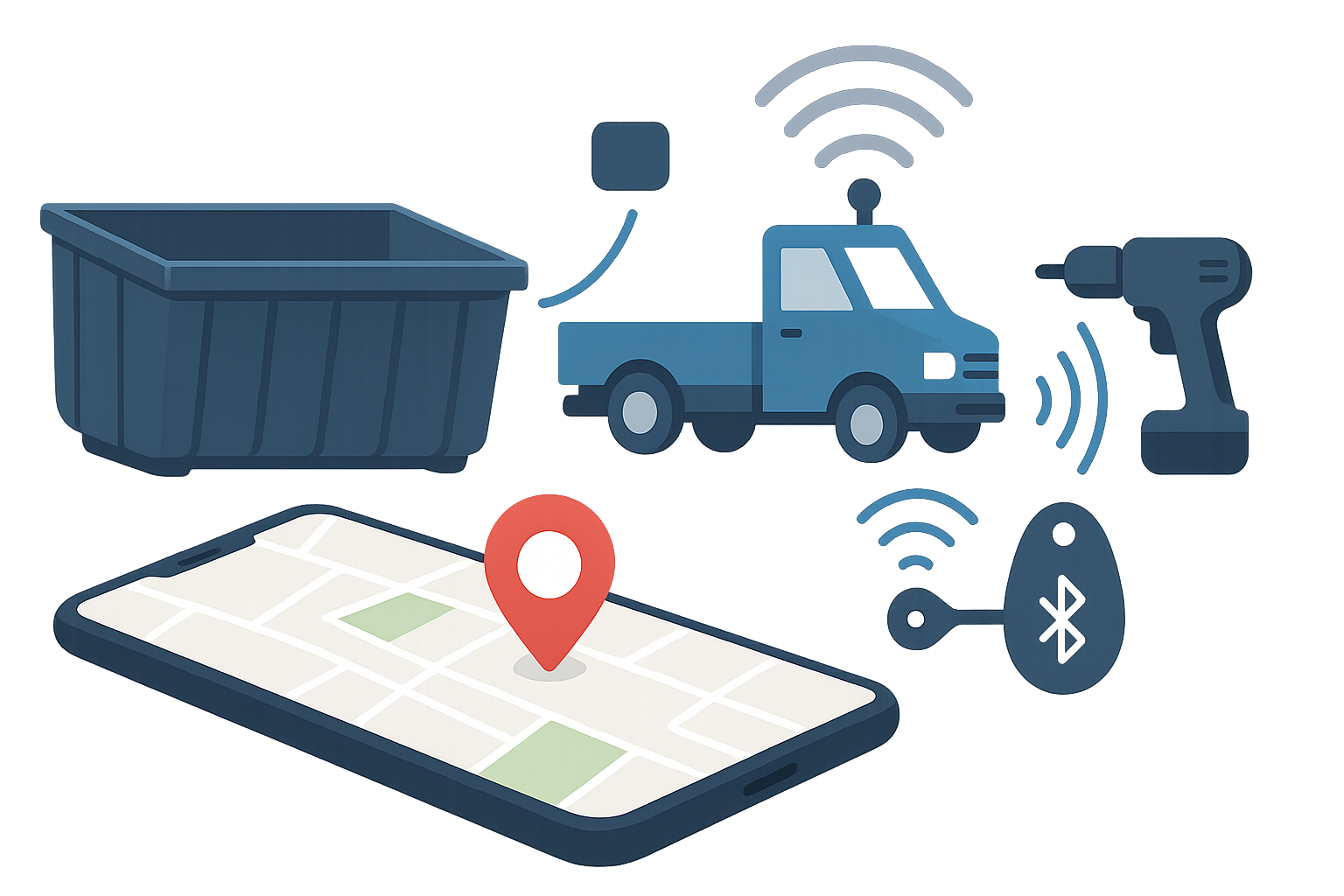
You can monitor unpowered objects, such as waste and transport pallets, with a battery locator.
You can track smaller tools and items that do not have power using a Bluetooth tag that connects wirelessly to the car's tracker.
RT-API software interface
The RT-API interface allows you to connect route information to operations management and financial management.
FleetHeat
Remote monitoring, remote control and optimization of bus preheating. In use in over 900 city buses in Sweden.

Orders, presentations/negotiations Mon-Fri 8am-4pm:
Email: sales[at]route-tracker.com
Phone: +358 931 577 376
Email, customer service and billing
customer service [at] route-tracker.com
RTPro Oy is a Finnish family business

Vastuu Group: A reliable partner

Asiakastieto: Finland's strongest
© Route-Tracker RTPro Oy - route-tracker.com - Privacy Policy